CamScripter App for Raspberry Pi – Integration Usable for Fetching Data from Many Measurement Devices
Raspberry Pi integration with Axis camera allows you to connect measuring devices and fetch their data into your video feed.
About the Project
CamScripter RPi is a free app that allows you to pull data from devices with a USB/Serial interface and display them within an AXIS camera image.
Using the app is simple: plug the device of your choice (thermometer, flowmeter, scale, hygrometer, etc.) into a Raspberry Pi, and a script running in the CamScripter RPi will handle the serial communication between the connected peripherals and your AXIS camera.
With our solution, you can utilize various micro apps with your AXIS camera and create dynamic graphic overlays with CamOverlay App.
What Is CamScripter RPi?
CamScripter RPi is a micro app (Node.js script) specifically designed to run on a Raspberry Pi. It works identically to the original version of the CamScripter App and runs micro apps. Data from the apps can be embedded into your video stream via CamOverlay App installed on your AXIS camera.
How Does It Work?
This edition of the CamScripter App runs on a Raspberry Pi running Raspbian OS and npm package management onboard. A micro app uploaded into CamScripter RPi processes inputs from devices connected to the Raspberry Pi and sends data to your AXIS camera.
What You Need
Hardware
Software
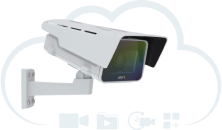
Any compatible camera from Axis Communications with an ARTPEC-5/6/7/8 processor can be used for this integration. The full Axis camera portfolio is available at axis.com – just make sure to check compatibility with CamStreamer apps beforehand.
The Raspberry Pi features high-quality, two-part ABS construction, with cut-outs for the dual micro HDMI, Audio/Video, USB and Ethernet ports, as well as the USB-C power connector and access to the micro SD card.
Installation Guide
- Install an operating system on your Raspberry Pi using an SD card and the following official guide. While CamScripter RPi works with various Raspberry Pi versions, we recommend the latest model: Raspberry Pi 4.
- CamScripter RPi is placed as a package in the npm repository. You can check the compatibility of CamScripter micro apps with CamScripter RPi in the manifest file of each script on our GitHub page.
Setting Up CamScripter RPi
- Open your internet browser and type in the IP address of your Raspberry Pi to open CamScripter App UI. The IP address must be in the following format: http://localhost:52520/settings.html
- Upload the package of the micro application you wish to use with the CamScripter App.
- Click "Start" to launch the micro application.
- Configure your micro application by pushing the gear button.
See our GitHub page for more information.