Flowmeter Integration Showing Volume Data (of Beer Keg) into a Video Feed from the AXIS Camera
Showing volume data into a video feed from the AXIS camera. Data are fetched from a Flowmeter sensor and sent via Raspberry Pi into a camera and shown in the video.
About the Project
This project combines our CamScripter RPi with a flowmeter and a custom-made I/O module to visualize the flow measurement of liquids. The integration is aimed at wine shops and pubs and we tested it successfully with both wine and beer.
How Does It Work?
We tasked Papouch, a company specializing in developing custom electronic systems, to build a custom version of their Quido I/O module (similar to this) for us so that we could connect up to 10 flowmeters to the module. The module is connected to a Raspberry Pi featuring CamScripter RPi and an in-house developed I/O module package.
Flow measurements are forwarded to an AXIS camera and visualized on-screen as a graphic overlay with the help of the CamOverlay App.
The Result
This integration is easy to set up and manage. While we developed it mainly for use in wine shops or pubs, it was tested at a much smaller scale: check the photos accompanying this article to see the flowmeter utilized at our own office party.
What You Need
Hardware
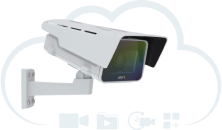
- AXIS camera
- Flowmeter
- Raspberry Pi
- I/O module
Software
The Raspberry Pi features high-quality, two-part ABS construction, with cut-outs for the dual micro HDMI, Audio/Video, USB and Ethernet ports, as well as the USB-C power connector and access to the microSD card.
The SF800 low pressure flow meter has a flow velocity of 0.5–20 litres per minute, operates at temperatures from -20 to +90°C, with an operating pressure of 16 bar and a max. pressure of 40 bar.
The I/O Module – Quido ETH 10/1 – features 10 inputs, 1 output, and a thermometer.
Any compatible camera from Axis Communications with an ARTPEC-5/6/7/8 processor can be used for this integration. The full AXIS camera portfolio is available at axis.com – just make sure to check compatibility with CamStreamer apps beforehand.
Setup Guide
- First, install CamScripter RPi onto Raspberry Pi with instructions on the following link: https://www.npmjs.com/package/camscripter-raspberry
- Open your internet browser and type in the IP address of your Raspberry Pi to open CamScripter App UI. The IP address must be in the following format: http://localhost:52520/settings.html
- Upload the Flow Meter package.
- Click "Start" to launch the micro application.
- To customize your flowmeter settings and calibrate the device, open CamScripter App UI in your browser and access the Flow Meter control via the gear button next to the installed Flow Meter package.
- To launch the data loop, press "Start".