Wall Thermometer Integration Showing Data Fetched from a Plugged Temperature Sensor
Showing temperature data into a video feed from AXIS camera. Data are fetched from plugged temperature sensor and shown in video.
About the Project
We developed a simple integration to visualize measurements of human body temperature by plugging a wall thermometer into a Raspberry Pi and connecting it to an AXIS camera via network.
The thermometer takes people's temperature and the results are displayed on a screen as a simple infographic using CamOverlay App. The micro app can also send event data to a video management system or other systems via HTTP push or MQTT, so you can search quickly through recorded footage or send notifications to responsible personnel.
This integration is a cost and time-effective virus/disease prevention measure in office buildings, shops, and other public spaces.
How Does It Work?
The core of this integration is CamScripter RPi and an RK Technology K3 Pro IR thermometer. The thermometer is plugged directly into a Raspberry Pi, CamScripter RPi forwards the data into an AXIS camera and the measurements are displayed via CamOverlay App graphics.
The Result
Our thermometer integration is a great solution for efficient health monitoring in shops, office buildings, and factories. It's fast, convenient, and utilizes a thermometer model available all around the world.
What You Need
Hardware
Software
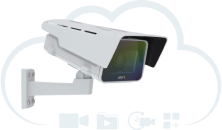
Any compatible camera from Axis Communications with an ARTPEC-5/6/7/8 processor can be used for this integration. The full Axis camera portfolio is available at axis.com – just make sure to check compatibility with CamStreamer apps beforehand.
The Raspberry Pi features high-quality, two-part ABS construction, with cut-outs for the dual micro HDMI, Audio/Video, USB and Ethernet ports, as well as the USB-C power connector and access to the microSD card.
The RK Technology K3 Pro IR thermometer is a simple, fast and accurate, non-contact IR thermometer for temperature measurement at inputs or ducts. It can be mounted on a wall or on a tripod, measures 0–50°C with a response time of 0.5 s, and is switchable between °C/°F. It features a digital display, automatic focusing, and a USB cable (1.8 m).'
Setup Guide
- Open your internet browser and type in the IP address of your Raspberry Pi to open CamScripter App UI. The IP address must be in the following format: http://localhost:52520/settings.html
- Upload the K3 Pro Sensor package.
- Click "Start" to launch the micro application.
- To set the thermometer up, open CamScripter App UI in your browser, and access the K3 Pro Sensor via the gear button next to the installed thermometer package.
- Here you can select temperature limit, choose between Fahrenheit and Celsius temperature scales, and specify widget position.