Offshore Cranes – Main Hoist Load Visualization in the Real-Time Video Feed for Immediate Monitoring
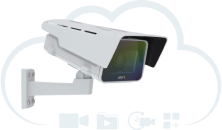
Showing main hoist load data into a video feed from AXIS camera. Data are fetched from crane sensor and shown in video.
About the Project
Huisman Equipment is a global company that specializes in designing and building heavy construction equipment. The company, in its constant strive for innovative new solutions, has successfully completed testing the possibility to display the main hoist load of a crane on CCTV.
Arjan Degenaar from Huisman Equipment explained the main idea behind this project: "the operator has the most defining indicator available while looking at the CCTV screen of the main hoist." This successful end product was visualized through the use of an AXIS camera in combination with CamStreamer applications and a specifically developed micro application.
How Does It Work?
Huisman Equipment utilizes OPC Unified Architecture (OPC UA): a machine-to-machine communication protocol for industrial automation. Degenaar described the particular technical setup for this project:
"We make big offshore cranes. Most control aspects are done with Siemens S7 PLCs which have an OPC UA server running on the PLC. We communicate with the PLC with our atvise visualization. This visualization can itself be a third-party interface OPC UA server supplying data to the camera. Within this CCTV AXIS camera is the CamScripter App we have gotten from CamStreamer which displays the main hoist load on the camera screen."
The Result
By combining our existing applications with a custom-developed micro application has shown the flexibility of CamStreamer apps and the ability of the dev team to respond to new challenges and fulfill clients' requirements. The result is a custom solution that can be used for various offshore projects including building offshore windmills. "I'm happy our dev team was able to meet the client's needs. This project is another success for us and we're looking forward to the next challenge," said Filip Hanek, the Product Manager of CamStreamer.
What You Need
Hardware
Software
Any compatible camera from Axis Communications with an ARTPEC-5/6/7/8 processor can be used for this integration. The full Axis camera portfolio is available at axis.com – just make sure to check compatibility with CamStreamer apps beforehand.