POS Screen in the Video – Monitor What's Happening at the Checkout Using ShareX and CamOverlay App
With the CamOverlay App on board the Axis camera and ShareX installed on the cashier PC, real-time POS screen data is displayed in the camera's live video feed.
About the Project
We are showcasing a Point-of-Sale (POS) system integration with an Axis Network Camera using CamOverlay App and ShareX on a Windows-based POS computer. This combination offers real-time transaction monitoring, thus promoting accuracy and efficiency at checkout.
Technical Solution
Our setup includes a compatible Axis Network Camera, a Windows-based POS computer with ShareX installed, and the CamOverlay App running on the Axis Camera. ShareX, a free screen-sharing tool, captures the POS terminal's screen in real time, allowing every transaction detail to be visible and monitored remotely.
The integration uses CamOverlay App's capabilities to embed the POS terminal screen capture into the live video stream from the Axis Network Camera. This facilitates a seamless and immediate visual display of transaction details as they occur directly in the video feed.
How Does It Work?
Cashier PC
The ShareX application is installed on the computer running the POS software, which sends the screen or a screen's view area to the surveillance camera.
Surveillance Camera
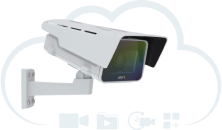
The CamOverlay App is an in-camera app installed in the AXIS camera that can live feed the POS monitor screen into the output video image.
VMS or Video Storage
Either the camera image with or without the cash register monitor embedded or both simultaneously is sent to the existing recording or VMS storage.
The Beauty of the Solution
The entire solution is built on software only. No hardware or special network setup is required. Data is sent securely within the local network.
The Result
This integration gives rise to the following functionalities:
- Live Video Output with Real-Time POS Screen Capture: The integration enables the real-time screen capture from the POS terminal to be displayed in the live video stream from the Axis Network Camera. This offers immediate visual confirmation of each transaction, ensuring all goods are scanned correctly and fostering accurate monitoring and control of checkout operations.
- Remote Monitoring and Archiving: Every transaction is documented in the video archive, providing a helpful resource for any later reference or analysis.
Integrating a POS system with an Axis Network Camera using the CamOverlay App and ShareX brings real-time transaction monitoring to a new level of accuracy and control. Harnessing these combined technologies allows for immediate verification of transactions and more streamlined operations at the checkout.
What You Need
Compatible hardware
- ShareX application on the PC with the cash register
- CamOverlay App for AXIS camera
- Application setup as per the instructions
System requirements:
- PC – Operating system Windows 7, 8.1, 10, or 11 for ShareX
- Surveillance camera – any AXIS compatible camera for CamOverlay App, check compatibility here
- VMS – Any solution (video stream from the camera already goes with either screen checkout, without it, or as two sources)